
Earnie

An SBOM of what ships, including what no manifest declares

SBOMs built from manifest files list the dependencies a team declared. Transitive dependencies, vendored libraries and copied code fall outside that list, and that is where much of the vulnerability and licence exposure sits. Earnie fingerprints every file against its open source knowledge base and resolves dependencies from lockfiles and build tools, so the inventory reflects the code itself.

Request a demo
SBOM · CycloneDX

SBOMs are now part of how regulations and customers check software.

  • EU Cyber Resilience Act
  • NIS2
  • DORA
  • PCI DSS 4.0
See what each one asks for on the regulations map →

One SBOM, from scan to file

Generate

A scan fingerprints your files and matches them against a knowledge base of open source, so components and copied code show up with their licences and known vulnerabilities. Dependencies come from lockfiles and build tools, labelled direct or transitive.

Export

CycloneDX 1.7 carries the full picture, including cryptographic assets, AI models and AI components when those scanners are on. SPDX 2.3 Lite is a licence-focused profile for teams that exchange SPDX.

Keep

Every SBOM is a snapshot of one scan's inventory and the review decisions in force when it was made. Earnie never edits a snapshot. When the code or a decision changes, the export is marked Stale and you generate a new one.

Import

An SBOM from a supplier can come in as a scan, so its components sit next to yours. It covers only what the file declares.

The same New export menu also produces a CBOM, for the cryptography in your code, and an AIBOM, for the AI models and AI components in it.
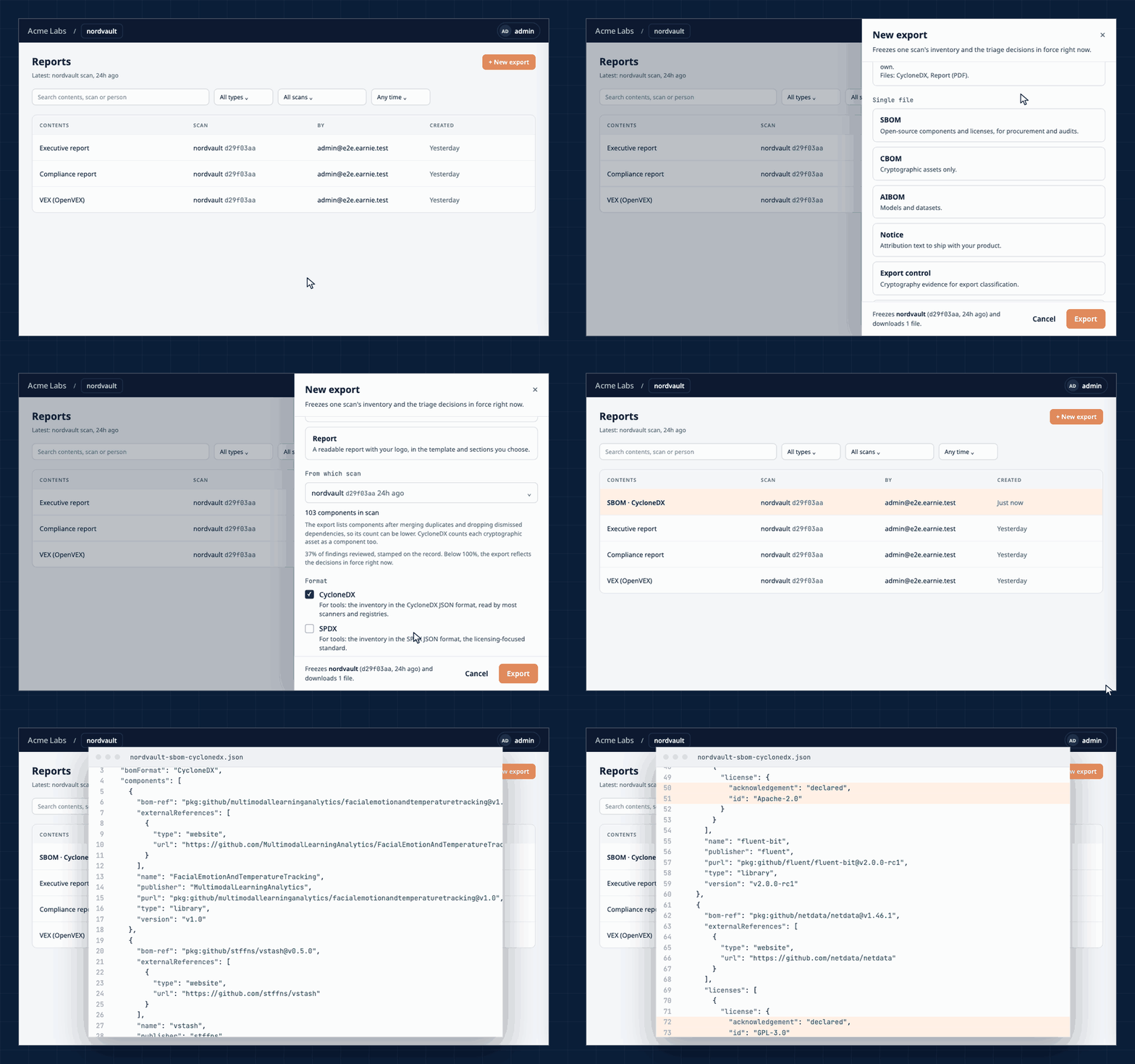
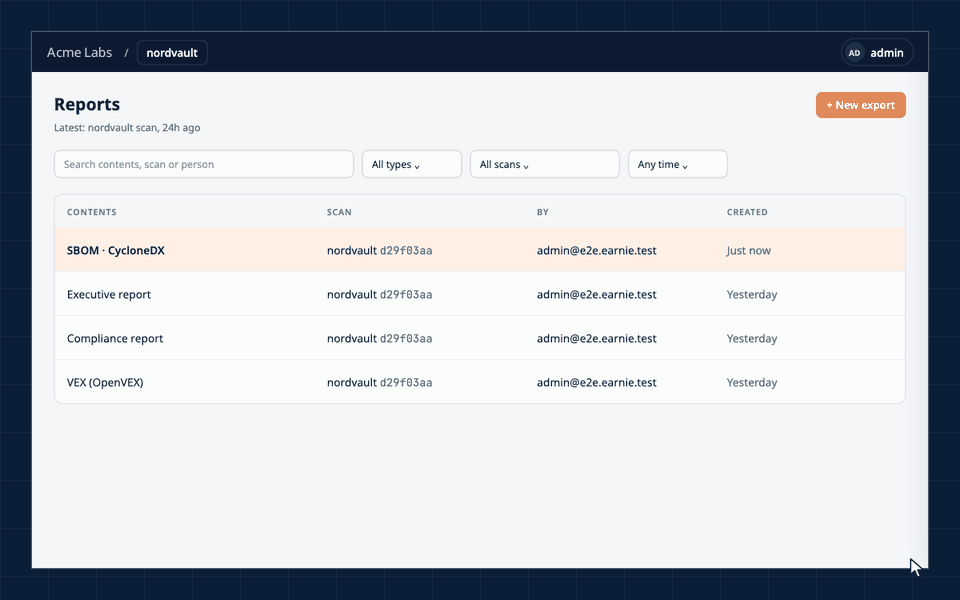
Creating an SBOM export from the Reports area in Earnie, then opening the CycloneDX file Creating an SBOM export from the Reports area in Earnie, then opening the CycloneDX file

Your code stays on your server. On SaaS, only fingerprints leave it.

Who asks for an SBOM, and what they get

A customer asks

Procurement teams and customers increasingly ask what's inside the software they buy. Earnie answers with a file generated from the release they're running.

  • CycloneDX or SPDX, from the scan of that release
  • Known vulnerabilities included when you choose to add them
  • Your vulnerability statements (VEX) in the CycloneDX export
  • A new SBOM for the next release in one export

A regulator asks

Earnie can generate a CycloneDX SBOM annex for the EU Cyber Resilience Act through the API, and compliance packages bundle the evidence for a review into one file.

  • CRA SBOM annex in CycloneDX 1.7 (it isn't a conformity assessment)
  • Compliance packages for export control (EAR), post-quantum inventory, PCI DSS 4.0, open source distribution and due diligence
  • Each package as a ZIP with a README explaining its contents

Your licences

The same scan produces the notice file you're obliged to ship with the product.

  • Each component's licences and copyright holders
  • The licence and NOTICE texts to distribute
  • Components whose licence couldn't be resolved, listed separately
Earnie for OSPO leads →

A buyer runs due diligence

An acquirer or an investor wants the inventory, the licences and the open issues in one place.

  • A due diligence compliance package
  • SBOMs for several projects at once
  • Reports in HTML, PDF, Excel or CSV

What an SBOM is

A software bill of materials (SBOM) is a list of the components inside a piece of software, with their versions, licences and how they relate to each other. CycloneDX and SPDX are the two standard formats, so the file can be read by the customer's tools as well as yours.

Complete

An SBOM is only as useful as what it includes. Earnie builds it from what's in the code, including packages a lockfile pins that no manifest names.

Current

An SBOM describes one moment. Earnie stamps each one with the scan it came from and marks it Stale when things change.

Standard

CycloneDX 1.7 or SPDX 2.3, readable by any tool that speaks either format.

Start with one repository

Connect a repository, let the first scan finish and export the SBOM in the format you need.

Request a demo
Generate an SBOM from your code | Earnie
Earnie

An SBOM of what ships, including what no manifest declares

SBOMs built from manifest files list the dependencies a team declared. Transitive dependencies, vendored libraries and copied code fall outside that list, and that is where much of the vulnerability and licence exposure sits. Earnie fingerprints every file against its open source knowledge base and resolves dependencies from lockfiles and build tools, so the inventory reflects the code itself.

Request a demo
SBOM · CycloneDX

SBOMs are now part of how regulations and customers check software.

  • EU Cyber Resilience Act
  • NIS2
  • DORA
  • PCI DSS 4.0
See what each one asks for on the regulations map →

One SBOM, from scan to file

Generate

A scan fingerprints your files and matches them against a knowledge base of open source, so components and copied code show up with their licences and known vulnerabilities. Dependencies come from lockfiles and build tools, labelled direct or transitive.

Export

CycloneDX 1.7 carries the full picture, including cryptographic assets, AI models and AI components when those scanners are on. SPDX 2.3 Lite is a licence-focused profile for teams that exchange SPDX.

Keep

Every SBOM is a snapshot of one scan's inventory and the review decisions in force when it was made. Earnie never edits a snapshot. When the code or a decision changes, the export is marked Stale and you generate a new one.

Import

An SBOM from a supplier can come in as a scan, so its components sit next to yours. It covers only what the file declares.

The same New export menu also produces a CBOM, for the cryptography in your code, and an AIBOM, for the AI models and AI components in it.

Creating an SBOM export from the Reports area in Earnie, then opening the CycloneDX file Creating an SBOM export from the Reports area in Earnie, then opening the CycloneDX file

Your code stays on your server. On SaaS, only fingerprints leave it.

Who asks for an SBOM, and what they get

A customer asks

Procurement teams and customers increasingly ask what's inside the software they buy. Earnie answers with a file generated from the release they're running.

  • CycloneDX or SPDX, from the scan of that release
  • Known vulnerabilities included when you choose to add them
  • Your vulnerability statements (VEX) in the CycloneDX export
  • A new SBOM for the next release in one export

A regulator asks

Earnie can generate a CycloneDX SBOM annex for the EU Cyber Resilience Act through the API, and compliance packages bundle the evidence for a review into one file.

  • CRA SBOM annex in CycloneDX 1.7 (it isn't a conformity assessment)
  • Compliance packages for export control (EAR), post-quantum inventory, PCI DSS 4.0, open source distribution and due diligence
  • Each package as a ZIP with a README explaining its contents

Your licences

The same scan produces the notice file you're obliged to ship with the product.

  • Each component's licences and copyright holders
  • The licence and NOTICE texts to distribute
  • Components whose licence couldn't be resolved, listed separately
Earnie for OSPO leads →

A buyer runs due diligence

An acquirer or an investor wants the inventory, the licences and the open issues in one place.

  • A due diligence compliance package
  • SBOMs for several projects at once
  • Reports in HTML, PDF, Excel or CSV

What an SBOM is

A software bill of materials (SBOM) is a list of the components inside a piece of software, with their versions, licences and how they relate to each other. CycloneDX and SPDX are the two standard formats, so the file can be read by the customer's tools as well as yours.

Complete

An SBOM is only as useful as what it includes. Earnie builds it from what's in the code, including packages a lockfile pins that no manifest names.

Current

An SBOM describes one moment. Earnie stamps each one with the scan it came from and marks it Stale when things change.

Standard

CycloneDX 1.7 or SPDX 2.3, readable by any tool that speaks either format.

Start with one repository

Connect a repository, let the first scan finish and export the SBOM in the format you need.

Request a demo